
Free shipping on many pieces, no minimum • 30-day returns • Secure checkout

Theme Features

Premium BigCommerce theme

Ember feature tour

Three storefronts in one theme: Home, Fashion and Food. Each variation changes the layout itself, not only the colours, and every feature below is live on this demo. Follow the links to try them.

3Variations
3Layout presets
421Theme settings
2Colour modes
3 themes in 1

Three variations, three layouts

Pick a variation in Theme Editor and the header, hero, product cards and homepage sections change shape. Each one has its own fonts, palette and live demo store.

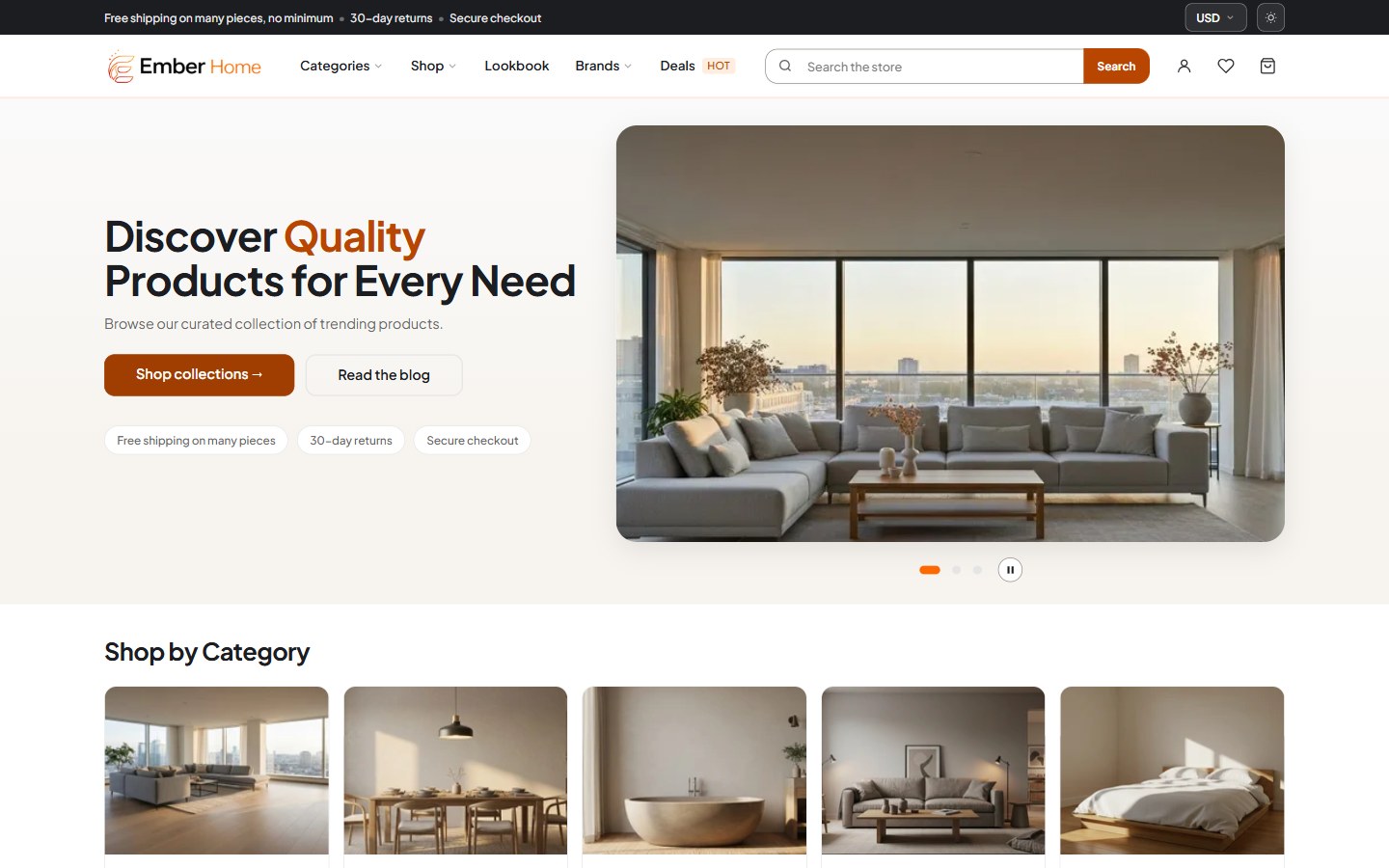
Ember Home variation homepage with mega navigation, search bar and a split hero

Home: Classic layout

Framed product cards, a split hero and a full mega menu, made for furniture, decor and general stores.

Open the Home demo
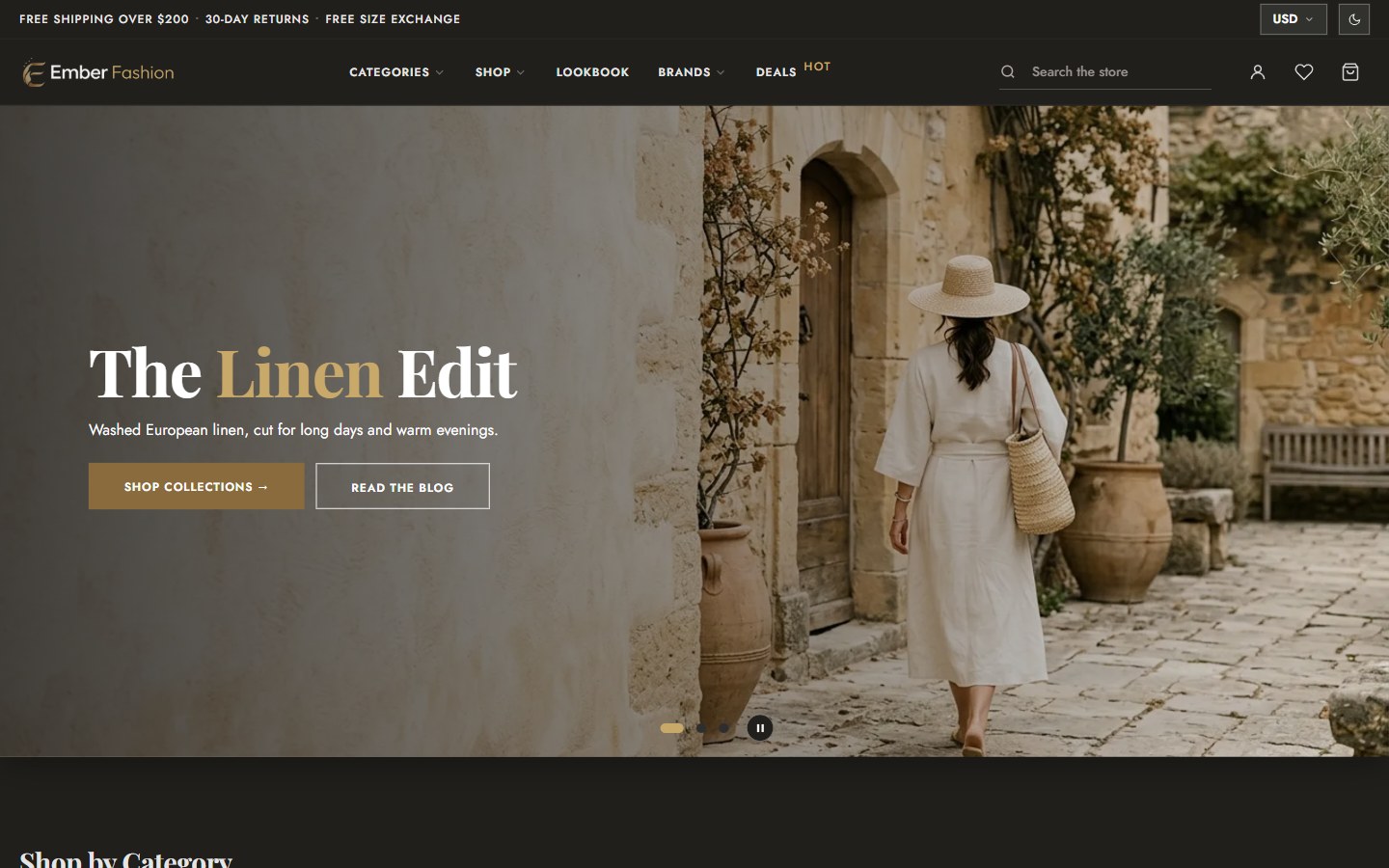
Ember Fashion variation homepage in dark mode with a one-row header and a full-bleed hero

Fashion: Editorial layout

A one-row header with centred navigation, a full-bleed hero and three-across photography. Opens in dark mode.

Open the Fashion demo
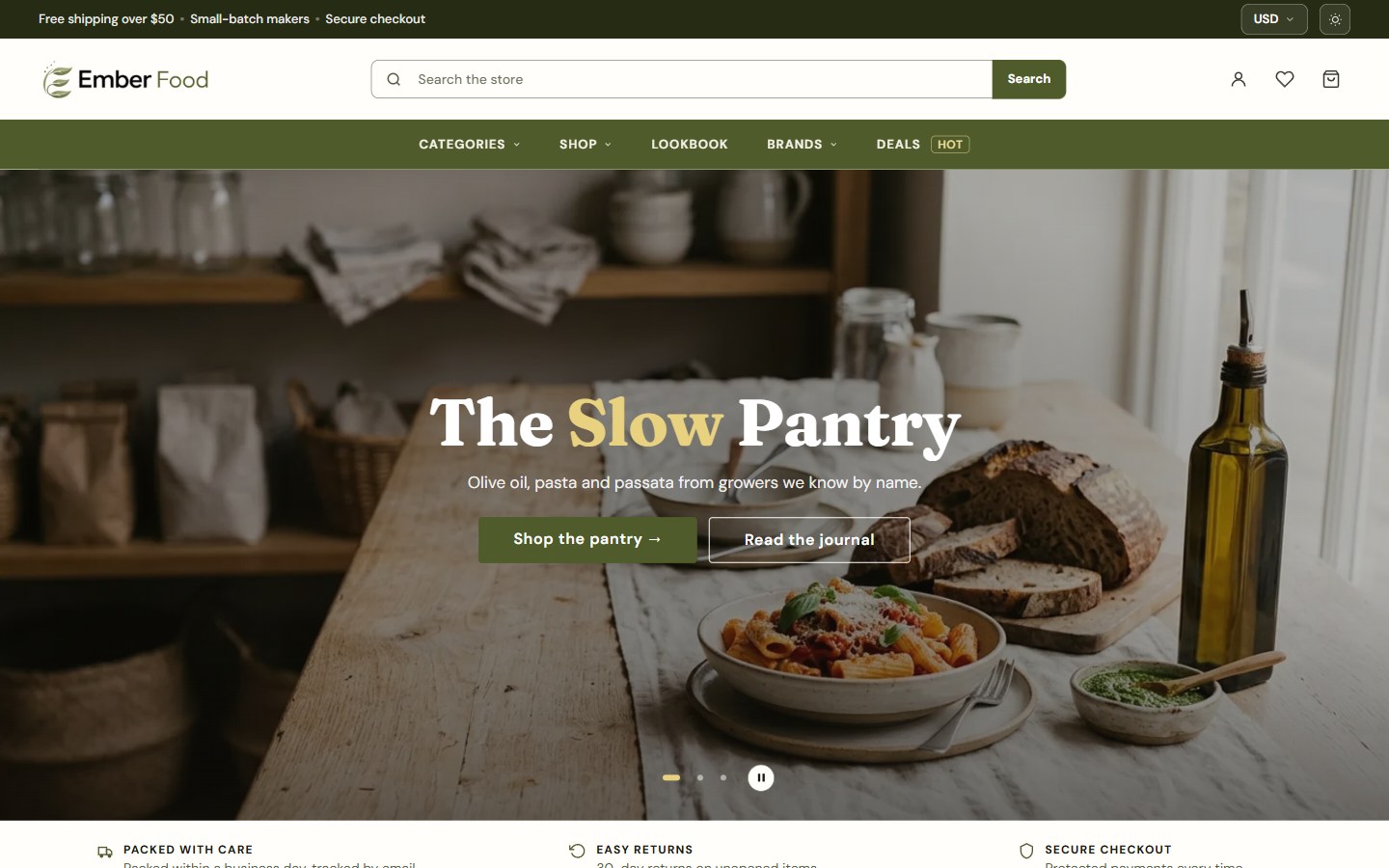
Ember Food variation homepage with a search-first header and a pantry hero

Food: Market layout

A search-first header, round category tiles, product shelves and recipe stories for grocery and speciality food.

Open the Food demo
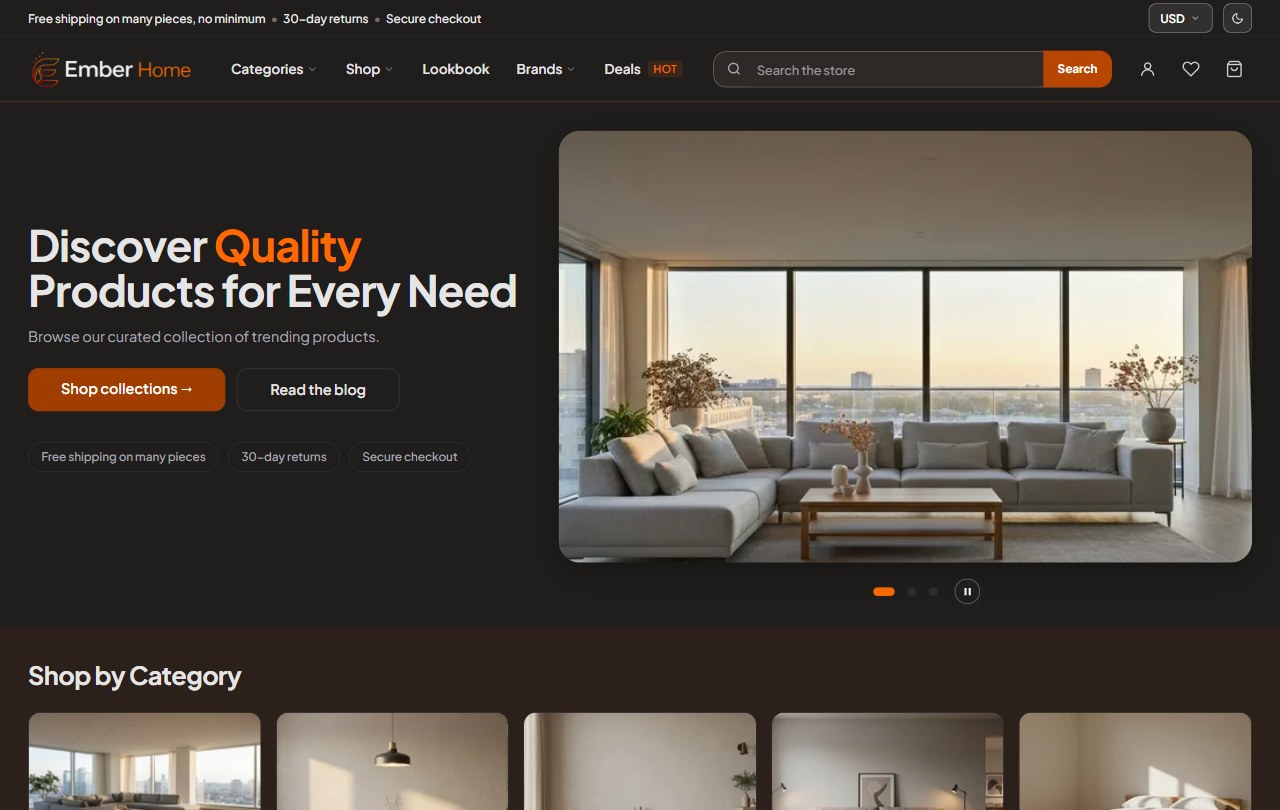
Ember storefront in dark mode
Dark mode

A dark mode shoppers can switch on

A toggle in the header switches the whole store between light and dark, and the choice is remembered on the next visit.
  • Your brand colours are settings, for light and for dark, with a live preview in Page Builder
  • Choose which mode a variation opens in; Fashion starts dark
  • Text, borders and buttons keep readable contrast in both modes
See it on the Fashion demo
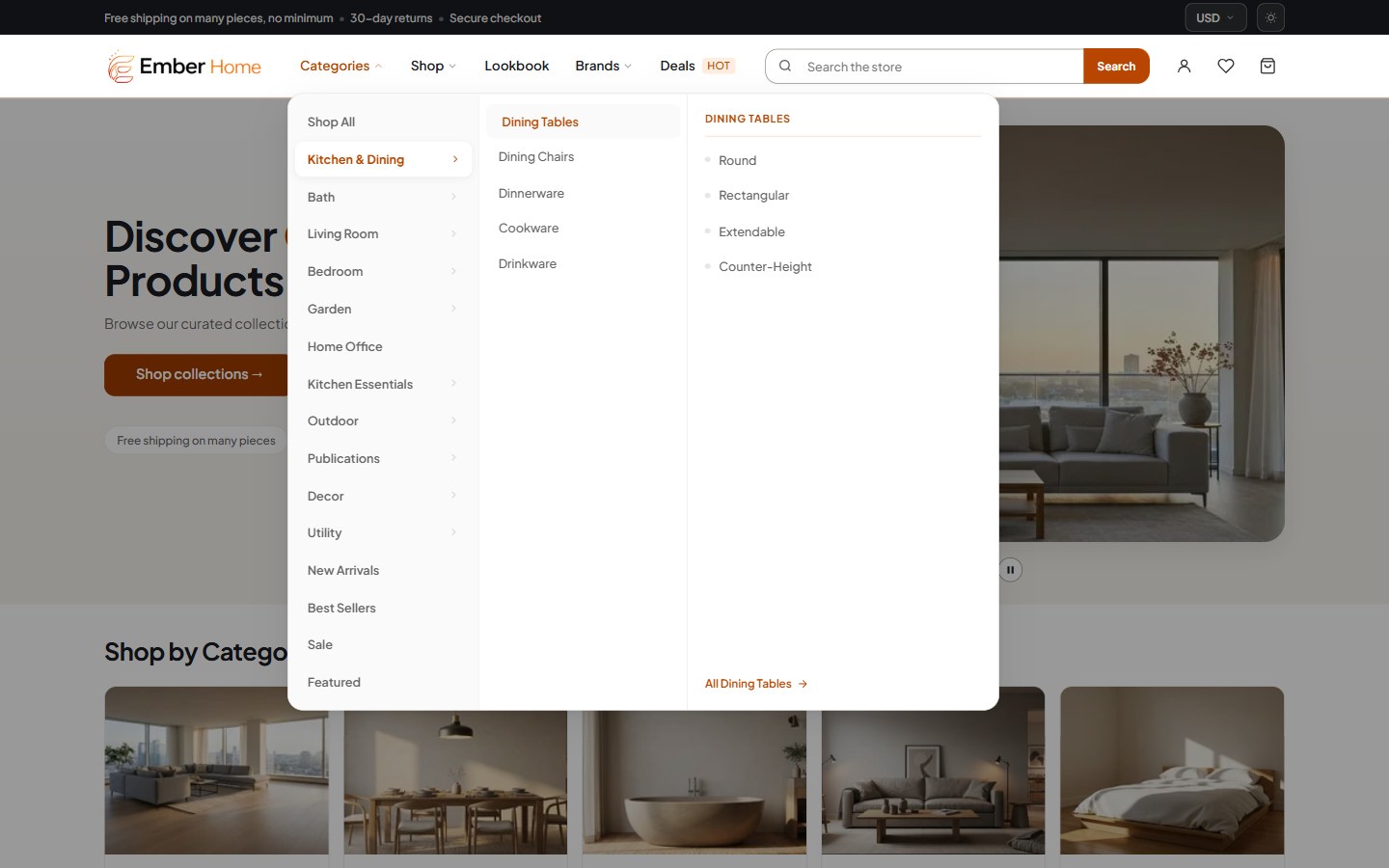
Ember mega menu with three levels of categories in columns
Navigation

A mega menu that shows the whole catalog

Three levels of categories open side by side, so shoppers reach a sub-category in one move.
  • Promotional image slots inside the Categories and Shop menus
  • An All Categories panel with its own banner
  • A slide-in menu on phones, with an announcement bar above the header
Open the menu on the Home demo
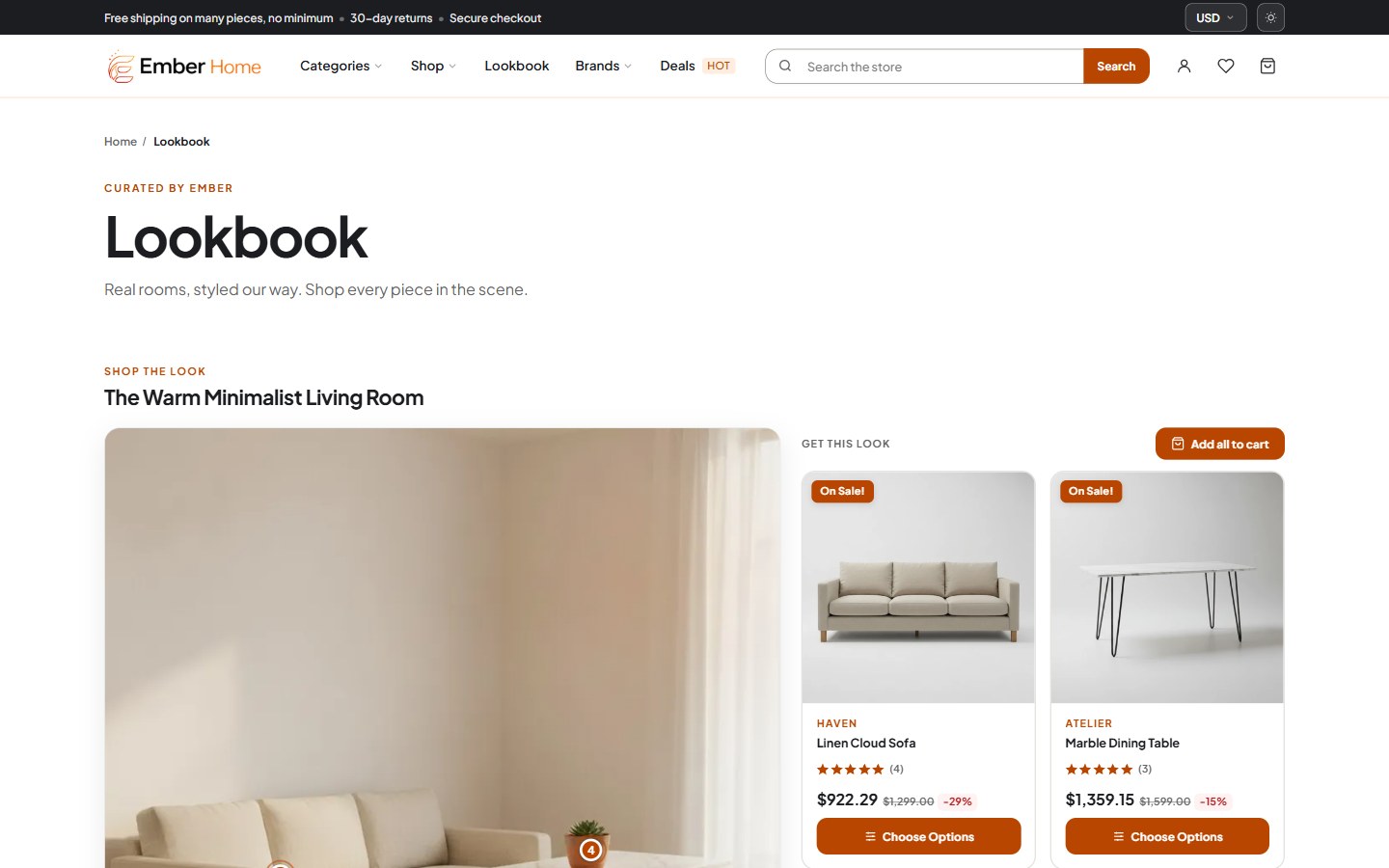
Ember Lookbook page with a styled room scene and product hotspots
Lookbook

Sell the look, not just the item

A Lookbook page template turns styled photos into shoppable scenes: tap a hotspot to see the product and add it to the cart.
  • Hotspots placed on your own photos, linked to any product in your catalog
  • A Shop by Room grid under the hero
  • Built in, no app needed
Try the Lookbook
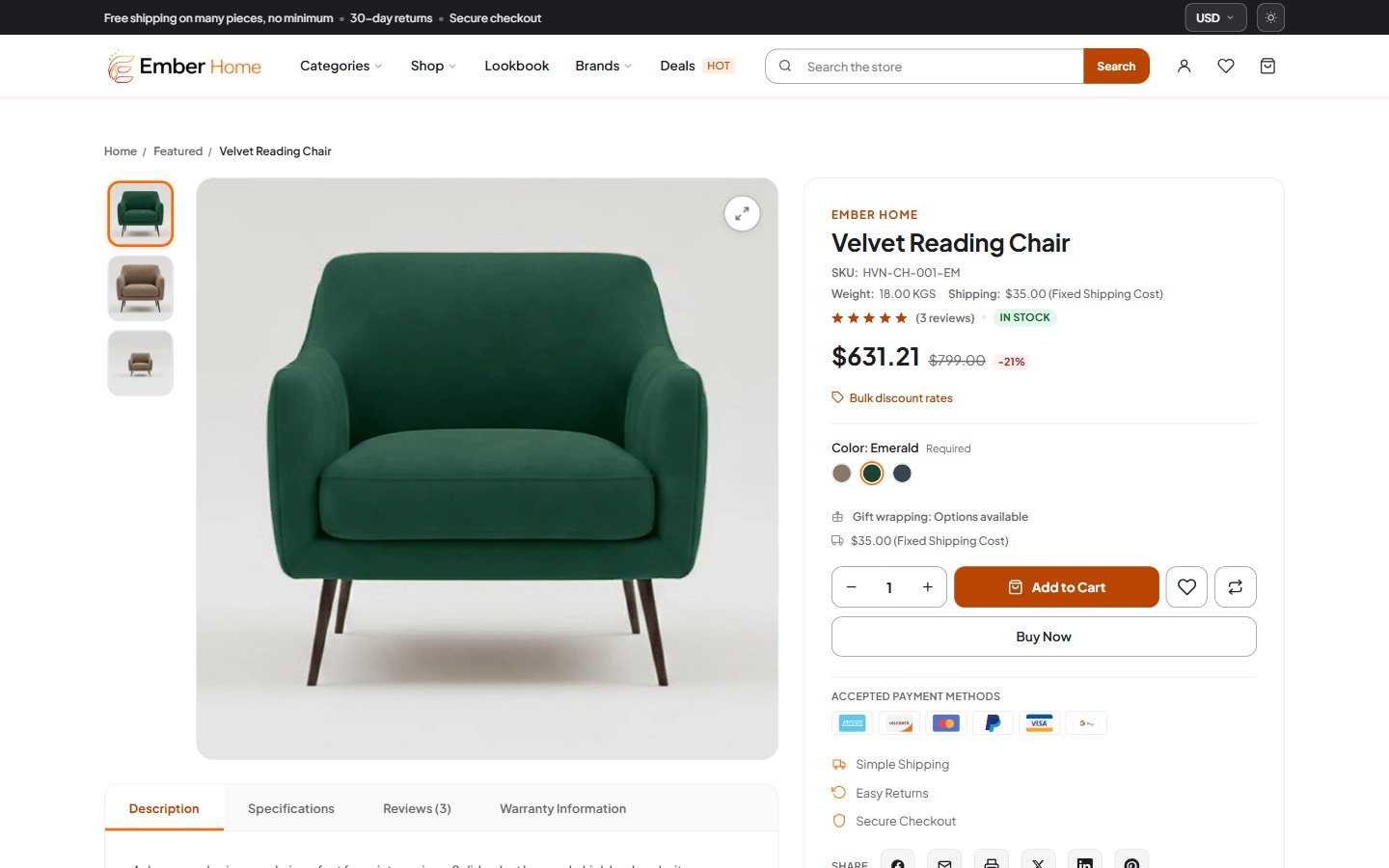
Ember product page with image gallery, colour swatches and add to cart
Product page

Everything a shopper needs to decide

A gallery that shows each photo whole, with zoom and product videos, next to a buy box that follows the shopper's choices.
  • Colour swatches that switch the main photo; price, SKU and stock update with each option
  • A sticky add-to-cart bar, and a Sold Out label when a choice is out of stock
  • Tabs for description, specifications from custom fields, reviews and Q&A
  • How much more to spend for free shipping, in the shopper's currency
Open a product
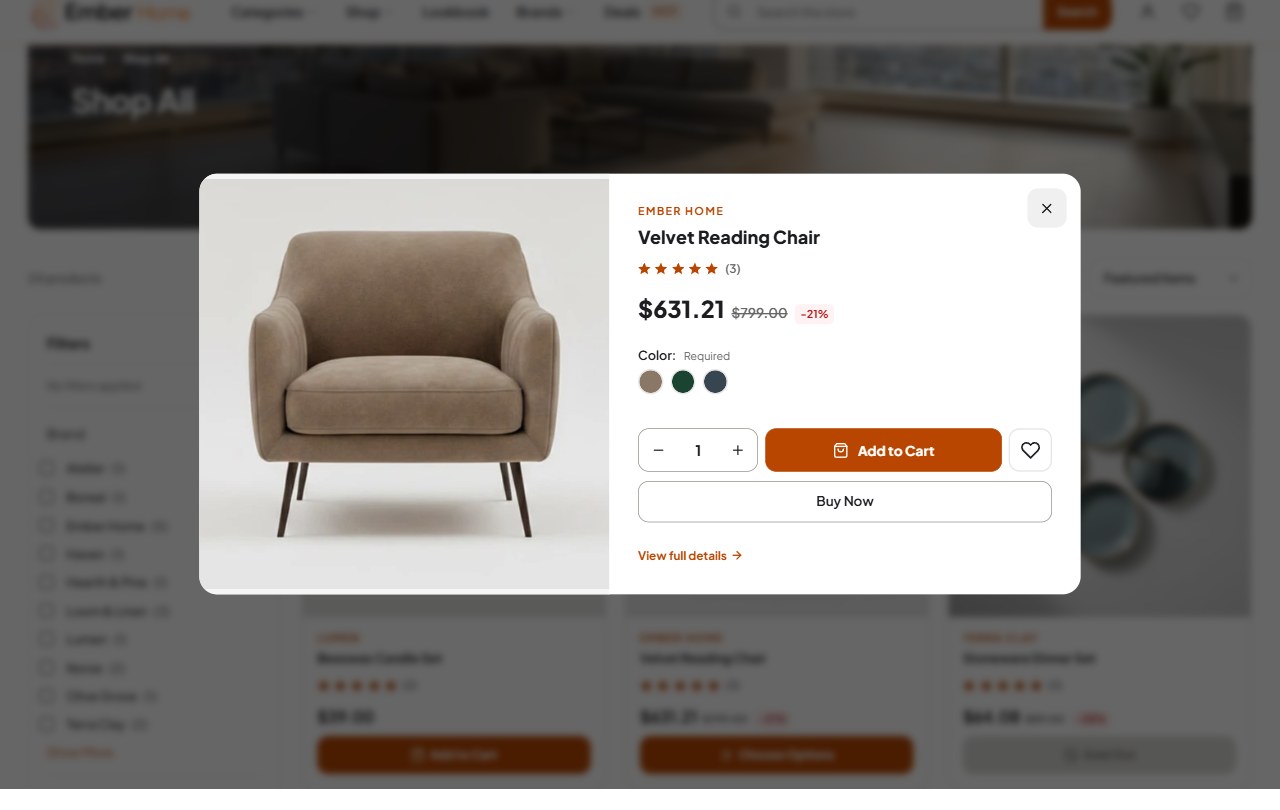
Ember Quick View window over a category page
Quick View

Preview and buy from any product card

Quick View opens the product with its options and add to cart, without leaving the page. Cards also offer compare and wishlist, and show a second photo on hover.

Try it on Shop All
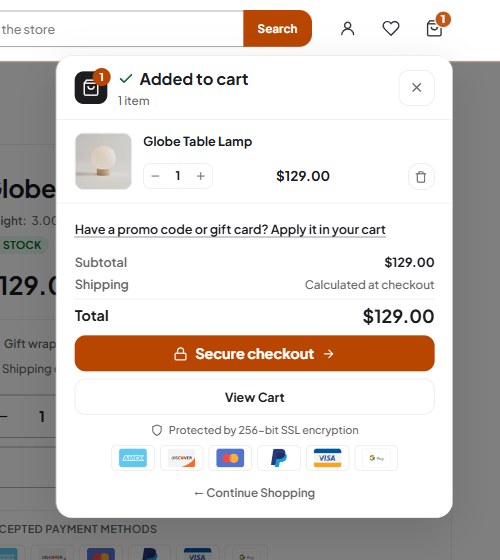
Ember cart sheet open after Add to Cart
Cart

A cart that keeps shoppers on the page

Add to Cart opens a cart sheet over the page instead of a new page, and the cart page keeps the order growing.
  • A free-shipping progress bar with the amount in the shopper's currency
  • Cross-sell products, trust badges and a recently viewed strip
  • Gift wrapping, coupons and gift certificates from BigCommerce
Add something to the cart
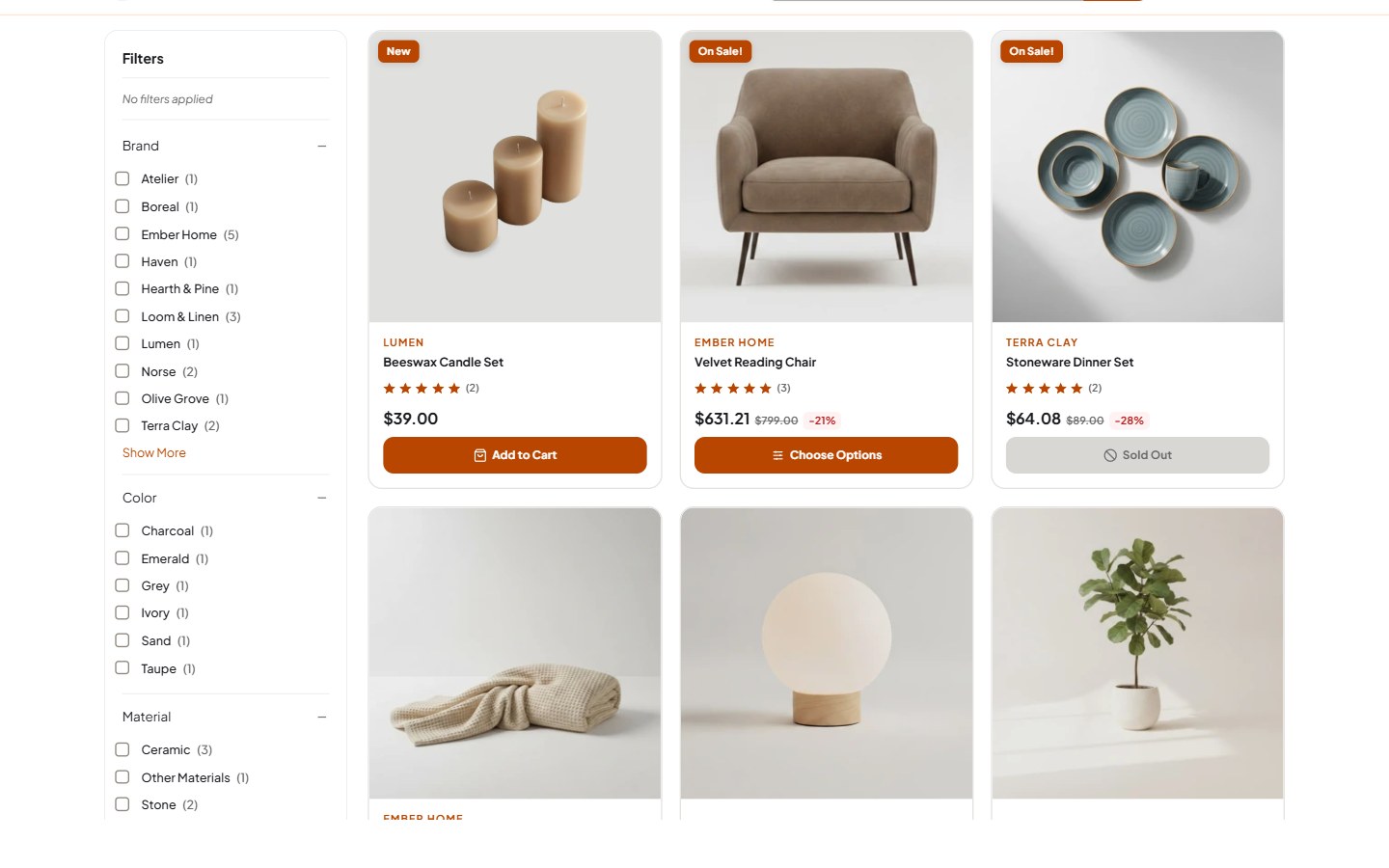
Ember category page with a filter sidebar and product grid
Browse & filter

Find products fast, on any catalog

  • Category pages with a photo banner header, or the title beside the photo
  • BigCommerce product filtering in a sidebar, with a filter sheet on phones
  • Grid and list views, sorting, product compare and a brands page
  • Search results for products, pages and blog posts
Browse a category
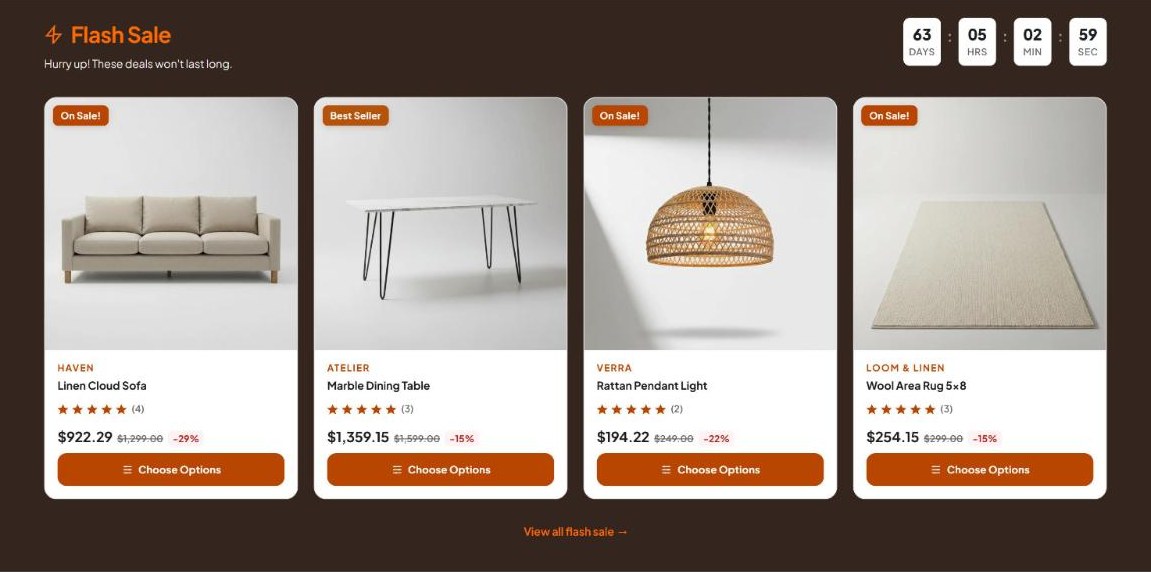
Ember homepage flash sale section with a countdown
Homepage

Merchandising blocks, switched on in Theme Editor

  • Hero carousel with focus control for phones and tablets
  • Featured, Best Sellers and New Arrivals tabs or shelves, each with a View all link
  • A flash sale with a countdown to the end date you set
  • Trust badges, promo banner, reviews, newsletter, brand story and a press bar
  • Page Builder regions above the products and above the footer for your own widgets
See the homepage
Built in

Page templates and the rest

About page

Story, statistics, value cards and a closing banner, each one editable or hidden. View

FAQ page

An accordion of questions grouped by topic, ready to edit. View

Track Order page

Sends shoppers to their order status after they sign in. View

Your brand everywhere

421 settings: colours for light and dark, fonts, layout, header, homepage, product and cart options. No code.

Fast and accessible

Built on Cornerstone, with responsive lazy-loaded images, keyboard navigation, reduced motion and Windows high contrast support.

Ready for many markets

Prices in the shopper's currency and storefront text in 20 language files.

Questions

Frequently asked questions

Is Ember built on Cornerstone?

Yes. Ember is a Stencil theme built on BigCommerce's Cornerstone, so checkout, accounts, Page Builder and BigCommerce features work as they do in Cornerstone.

Do I need apps for the Lookbook, dark mode or the cart sheet?

No. They are part of the theme and are turned on and set up in Theme Editor.

Can I change variation after I start?

Yes. The three variations ship in one theme; pick another one in Theme Editor at any time. Your catalog stays the same.

Can I use my own colours and fonts?

Yes. Brand colours for light and dark mode, fonts and layout options are all settings, with a live preview.

Does Ember work with several currencies and languages?

Yes. Prices and the free-shipping amount follow the shopper's currency, and the theme's own text comes in 20 language files.

Can I try it before I buy?

Yes. Download the free trial to preview Ember on your own store, or browse the three live demos.

Do I get updates and support?

Yes. Theme updates and support from PapaThemes are free. See the documentation for setup guides.

Launch your store with Ember

Three storefronts, one theme, no apps required.